Scanning a collection makes a copy of it. Making that copy easy to find is a separate job, and many digitisation projects end before it starts.
How OCR turned a wartime diary into a research tool
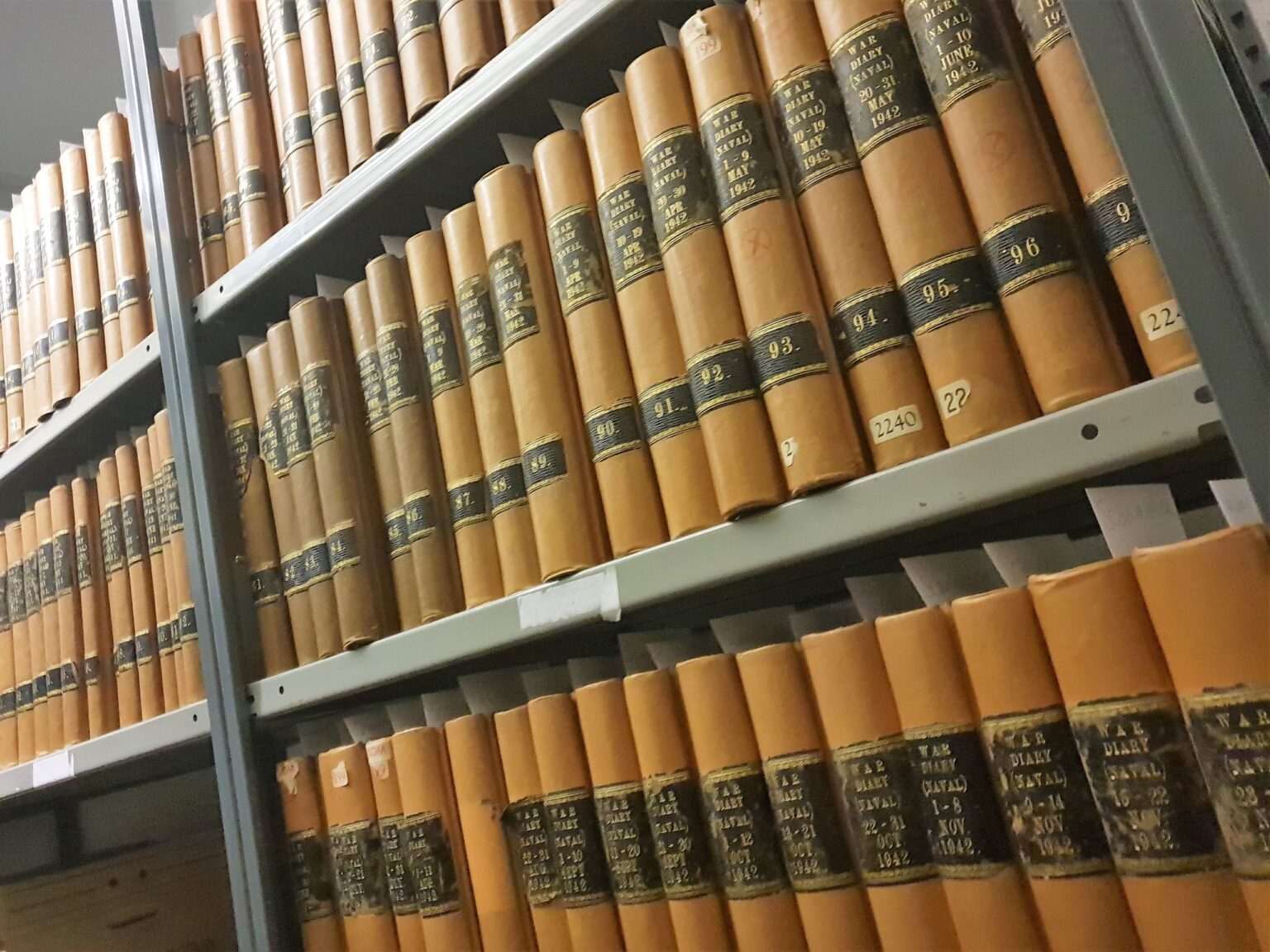
The Royal Navy’s WWII Admiralty Diary runs to 204 bound volumes and more than 60,000 pages, covering nearly seven years of naval activity across every theatre of the war. Only two copies survive, one at the Naval Historical Branch in Portsmouth and one at The National Archives in London.
Before we digitised it, researchers had to visit in person and handle the brittle originals, at the risk of irreversible damage. Finding one ship or operation meant combing through thousands of pages by hand.
Our studio captured every page on a Zeutschel book cradle built for fragile collections. That protected the originals. Then we ran OCR (optical character recognition, software that turns scanned pages into searchable text) across the whole diary.
The OCR is what changed how the diary is used. Researchers can now find a specific event, ship or operation in minutes, and the diary has become a working research tool for the Ministry of Defence and the wider historical community. Read the Royal Navy case study.
The images and the searchable text did two different jobs. A project that delivered only the images would have protected the diary, but finding one ship would still have meant paging through thousands of images.
Most of a collection is out of sight
Access is usually the reason to digitise. At the University of Stirling, archivist Karl Magee described the scale of the problem:
"Over 50% of our archive collections could not be digitised in-house because of their size and format, while 80% of the art collection is inaccessible at any given time due to the limited amount of gallery space."
Karl Magee, Archivist, University of Stirling
With a grant of £196,000 from the Arts and Humanities Research Council, Stirling bought a Zeutschel A1 ScanStudio from Genus, so it could digitise large-format items in-house. Read the Stirling case study.

A digital copy can be seen while the original stays in store, but it only widens access if people can find it. An image with a thin catalogue record is as hidden online as the original is on the shelf.
10 million +
microfilm pages scanned, with one index point per 2,500 images
Microfilm shows how far this can go. We have scanned microfilm collections of more than 10 million pages with just one index point per roll of 2,500 images. To find a single image, someone has to scroll through up to 2,500 pages by hand.
What being found depends on
Most of this work sits outside a scanning project, so it needs its own plan and someone responsible for it:
- Searchable text. OCR turns printed pages into text that can be searched. Check it on faded or damaged pages, where it is most likely to misread.
- The words people use. Someone searching for “London bombing” should also find items described as “the Blitz” or “air raid damage”. Old terms, modern terms and spelling variants all need a way in.
- Descriptions built around use. Every drawing in the Lola Cars archive was tagged by part number, model number, drawing title and date, because the people who use it look for parts.
- A route back to the original. Each box of Lola originals carries a unique ID captured during digitisation, so every digital file leads back to the physical drawing.
- Regular review. What do people search for, and do they find it? Searches that return nothing show where the collection is failing its users.
Each of these depends on knowing who will use the collection and how they search. That is why discovery can’t be added at the end. It shapes how the descriptions are structured from the start.
A quick test you can run this week
You don’t need new software to find out how findable your collection is.
- 1Ask a colleague from outside the archive team to find five items, using their own words.
- 2Search for an older term and its modern version, and compare the results.
- 3Open a scan of a faded page and check whether its searchable text matches what's printed.
Every miss tells you where discovery is breaking down, and what to fix first.
Where Opus comes in
Even a well-catalogued collection reaches a limit. Terms change, names are spelled in different ways and OCR misreads faded text. A keyword search finds only the words you type.
Opus, our secure archive search, connects the facts, people, places and dates across a digitised collection, uncovering links that could take staff hours to research. It can also create an index of your photographs, documents and metadata.
Citation and traceability are built in, so every answer shows the source behind it and your team can check it against the original.
Opus is trained only on your data. It is a closed-loop system that can be deployed within a private cloud or on your own servers, and your collection is never used to train anyone else’s systems.
See what Opus finds in a collection like yours
Opus is built for archives, museums, libraries and private collections. See how it connects the records in a digitised collection, with the source behind every answer.
See how Opus worksNot digitised yet? Start with our digitisation services
ABOUT GENUS
A family business since 1974, Genus has spent more than 50 years preserving collections, from microfilm to digitisation and secure storage, for clients including the Royal Navy, the British Library, the Wellcome Trust and Lola Cars.
